

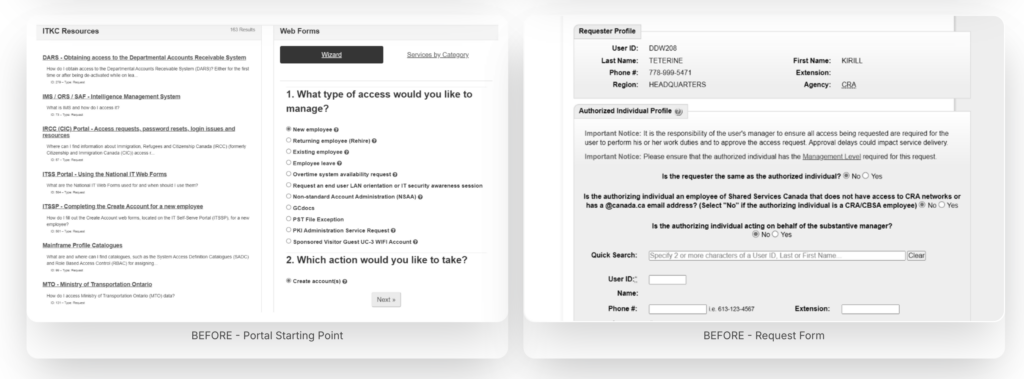
CRA employees relied on four separate legacy platforms built in the early 2000s – each with its own navigation, language, and logic. Routine IT tasks required institutional knowledge or a helpdesk call, eroding productivity across the agency.
“Employees were unable to resolve their IT needs quickly. Every simple task stalled productivity - and stalled previous modernization attempts too.”
Fragmented systems
No unified entry point – employees had to know which of four systems handled which request before they could even begin.
Memory-dependent navigation
Staff relied on bookmarks and personal notes. No wayfinding, no search, no logical hierarchy.
High support dependency
Routine tasks – password resets, incident reporting – generated unnecessary IT tickets, creating staffing pressure.
Accessibility failures
The legacy experience failed federal WCAG obligations, creating real barriers for employees with disabilities.
Understanding before designing
Government systems carry institutional weight – long-standing processes, embedded workarounds, and users who have adapted to broken tools. We committed to deep discovery before drawing a single wireframe.

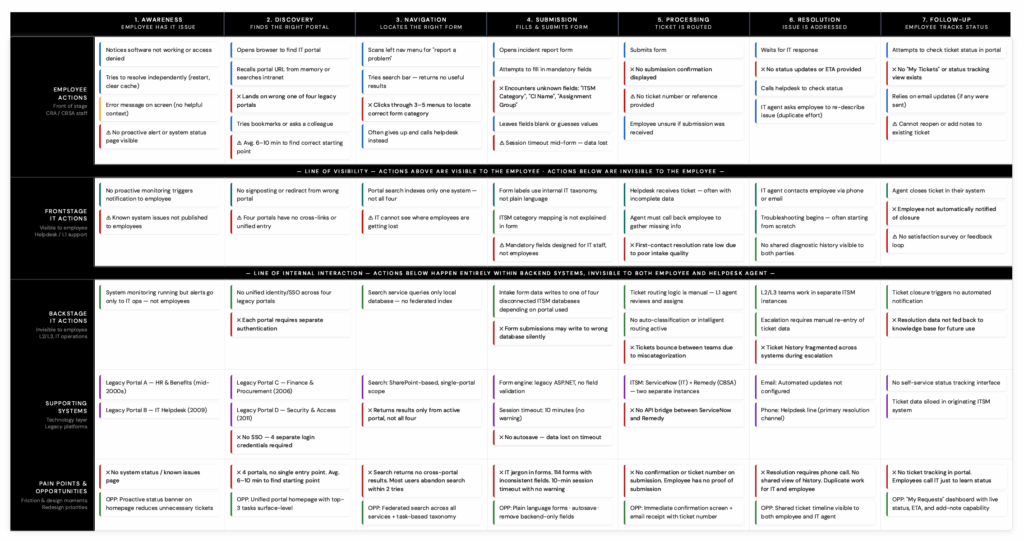
Key findings
Three tasks drove the majority of volume
No unified entry point – employees had to know which of four systems handled which request before they could even begin.
Navigation required prior knowledge
Staff relied on bookmarks and personal notes. No wayfinding, no search, no logical hierarchy.
Forms were the biggest barrier
Routine tasks – password resets, incident reporting – generated unnecessary IT tickets, creating staffing pressure.
Two user groups with conflicting needs
The legacy experience failed federal WCAG obligations, creating real barriers for employees with disabilities.
Six phases, one direction
Every phase was validated with real users before moving forward. Design ran one sprint ahead of development throughout the Agile delivery cycle.
01. Information architecture
Homepage strategy, card sorting, tree testing
02. Wireframes & prototypes
Interactive flows, high-fidelity in Figma
03. Form modernisation
114 forms audited, plain language rewrites
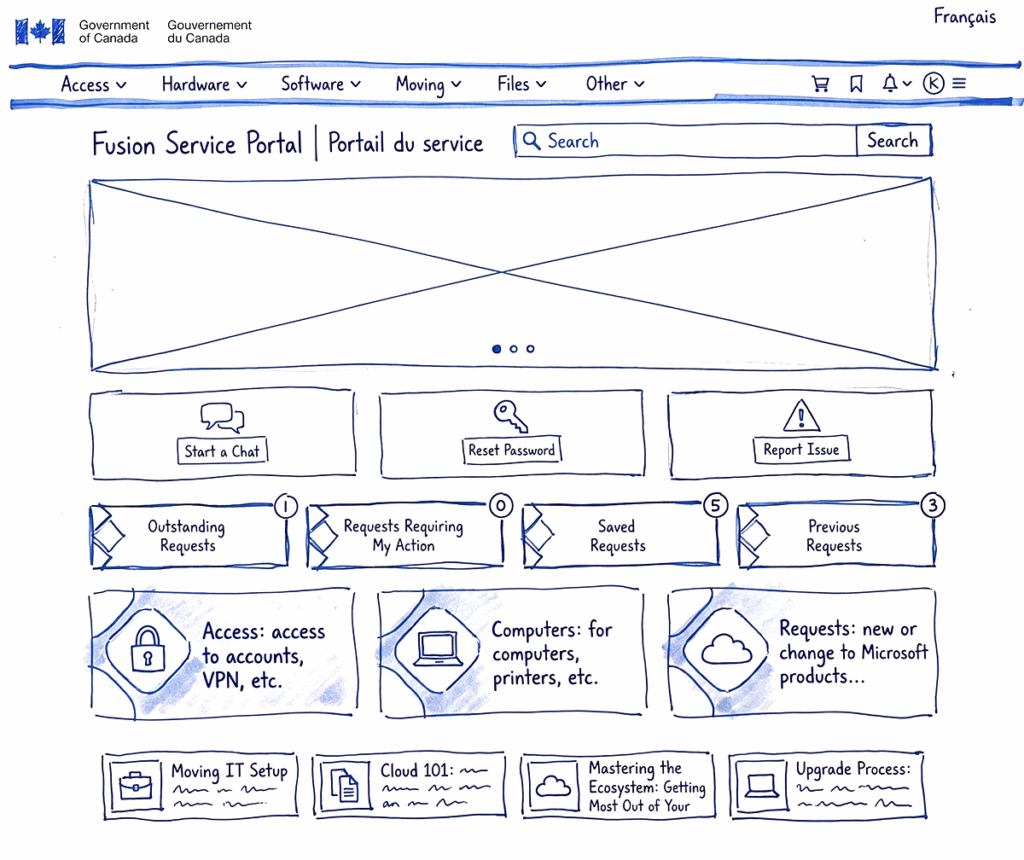
04. Design system
Components, tokens, dev handoff docs
05. Accessibility
WCAG 2.1 AA, focus management, ARIA specs
06. Usability testing
Moderated sessions, post-task surveys
Design System Structure
Tier 03 – Templates & patterns
Page layouts · Form templates · Navigation structures
Tier 02 – UI component library
Buttons · Inputs · Tables · Forms · Navigation · Alerts · Modals
Tier 01 – Foundations
Design tokens · Colour · Typography · Spacing · Elevation · Motion
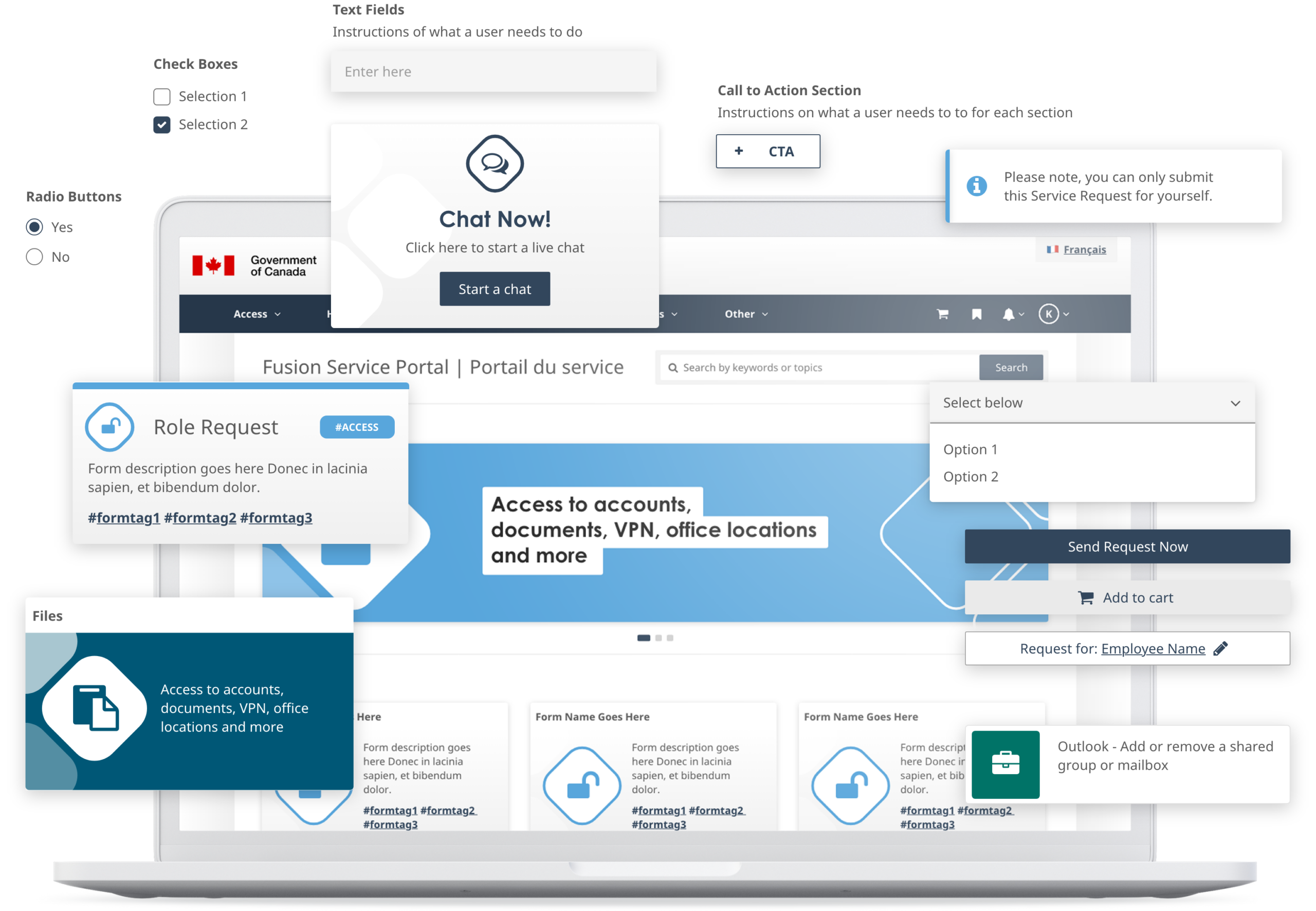
A 20-year-old system, replaced
The portal launched in December 2024. While the contract concluded before long-term metrics were fully captured, every project milestone was delivered on schedule.

What we learned
What worked
- Co-design workshops built genuine stakeholder buy-in, preventing approval-cycle stalls
- Treating the design system as a product – with documentation and governance – enabled sustainable handoff
- Embedding accessibility at component level rather than layering it on at the end
What we’d do differently
- Instrument the legacy system before go-live to establish a measurable baseline
- Advocate for a dedicated research sprint on form modernization rather than running it in parallel
- Establish a formal design QA handshake with dev to catch implementation drift earlier
